IT
Our IT platforms and tools are designed to make your integration easier.
REMEMBER
Gallagher Systems
Citrix
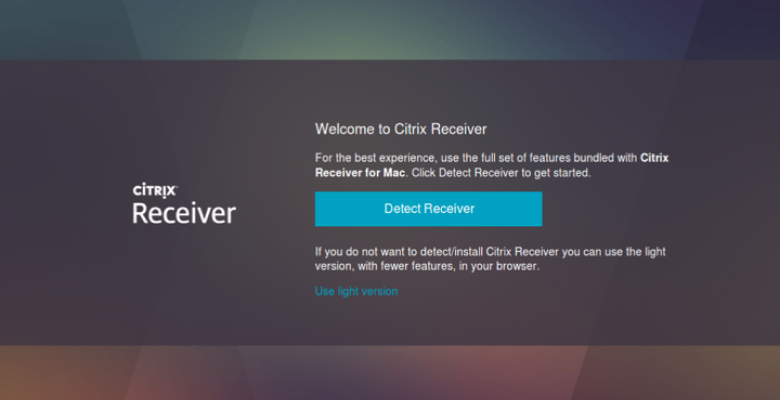
If you have trouble accessing Citrix, click “Use light version” (see below), and you should be able to connect.
Gallagher One
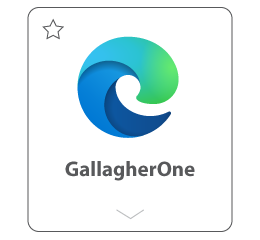
Gallagher One is our intranet, accessible (for now) via Citrix by clicking the swoosh of the Gallagher One app.
myHR
myHR is accessible without Citrix and used for information about payslips, benefits, your personal contact details and more.
Gallagher Systems
Citrix
If you have trouble accessing Citrix, click “Use light version” (see below), and you should be able to connect.
Gallagher One
Gallagher One is our intranet, accessible (for now) via Citrix by clicking the swoosh of the Gallagher One app.
myHR
myHR is accessible without Citrix and used for information about payslips, benefits, your personal contact details and more.
Travel & Expenses
Egencia
Gallagher’s preferred travel agency for business travel
- To log in, if you’re a new user, go to the log-in page, enter your AJG email address, click “Forgot password” and follow the prompts to reset your password.
- Watch a webinar on using Egencia (access GallagherOne via Citrix).
You can also use Egencia for personal travel!
Concur
Gallagher’s expense submissions/management system
If you want to get a jump on it, visit the Concur user guide (access from Gallagher One via Citrix).
Gallagher eLearn
Gallagher eLearn is your eLearning hub, accessible via single sign-on (without Citrix).
Start exploring more than 2,000 web-based business skills courses on topics such as leadership, management, communications, customer service, inclusion, productivity and collaboration tools, digital transformation, and more to help you advance your career!
You must complete all your mandatory trainings!
Setting Up Your New Gallagher Email
- Once complete, you will receive two emails (one from Duo Security and one from UReset).
- You will also receive a “Welcome email” which will be used in connection with the two emails to set up your Gallagher login.
NOTE
Coming Soon!
Gallagher issued laptops!
Stay tuned to announcements for more details.
Hourly billing rates for Gallagher communication
Synergist – Gallagher’s timekeeping system
FAQs
- Read through the information in the IT welcome packet.
- Then, you will go to the DUO email you received on January 25, 2023 and click on the registration link while on your laptop.
- a. Follow the steps and process on the screen to set up. This will also prompt you to download the Duo mobile app and sync it.
- After you have Duo set up, you will need to proceed to the UReset section of the welcome packet.
- b. Log in with your username and password from the top of your welcome packet.
- c. After logging in, set your new password
- Once complete, then you can continue onto the Citrix steps.
- After downloading and signing into Citrix – you can go to internet explorer and access the intranet where you can browse to the benefits section to sign up for benefits.
- d. Or, you can click on the myHR link in your Gallagher HR email from your ROC laptop and sign in with your username and password.
Contact IT
IT Help Desk
or call 630-285-4060
Gallagher’s Citrix Environment:
Call Joel Mallory at 248-660-0711